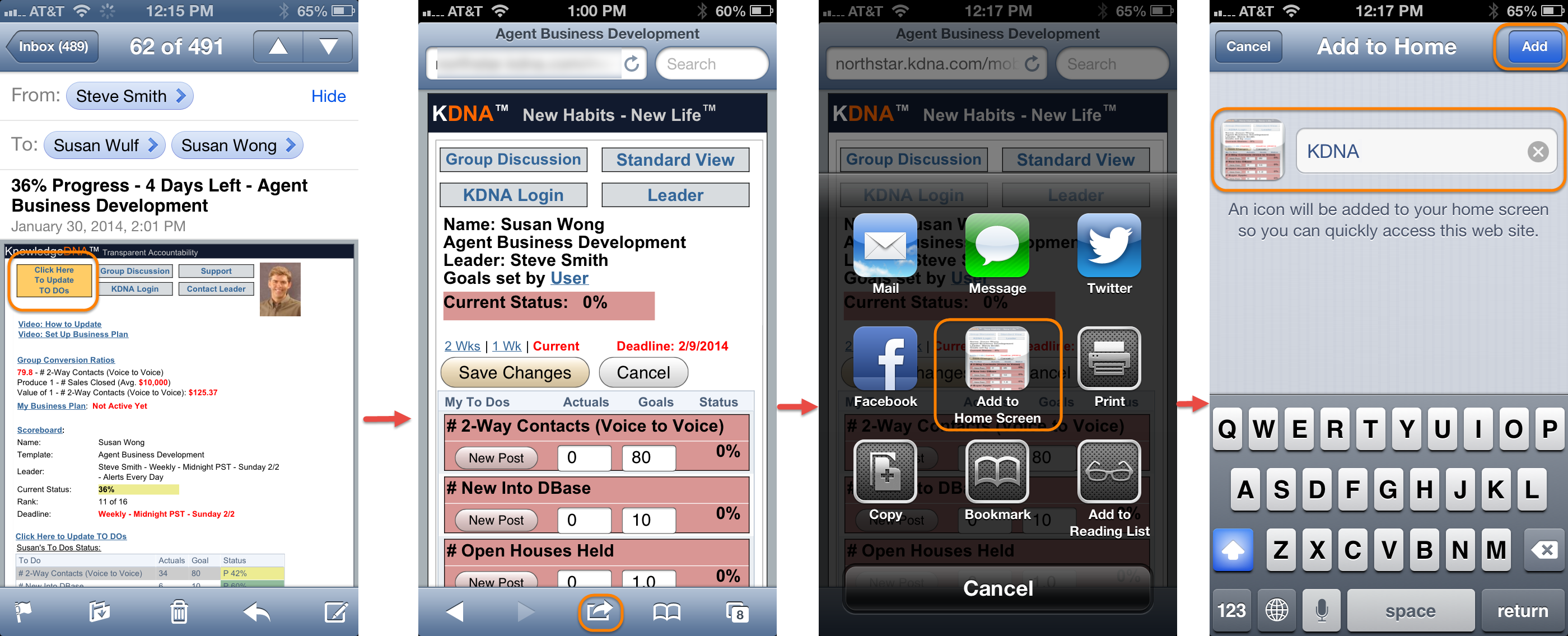
There is not currently a Smart Phone app for KnowledgeDNA. You access your tracker input page through your browser on your Smart Phone. You can create an icon on your phone's home page so that you can more easily access KDNA (ie. You don't have to find the daily email.) However, the security code for the web address does expire every 30 days. So, once your icon no long works you will need to repeat these steps:
- Open your daily alert email on your iPhone.
- Select the orange Update To Dos button at the top of the email. This will open your phone's browser to your KDNA tracker input screen.
- Select the transfer icon at the bottom of the screen.
- Next, select the Add to Home Screen button.
- Finally, give your new icon a name and select the Add button.