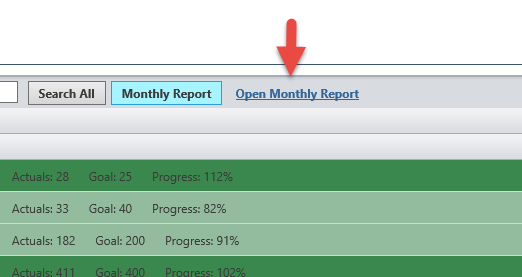
Users can automatically generate a Monthly Report of the comments that they have entered into KDNA. This report is delivered in an Excel format so users can edit, sort, search, etc. the data as desired. To create a Monthly Comment Report:
- Log into KDNA at http://kdna.kdna.com.
- Select the My Tracker button at the top of the screen.
- If it is not already selected, select the desired Template (aka Tracker) and User.
- Next, select the Monthly link and the desired Month from the pull down.
- Next, select the Monthly Report button. At this point the report will be generated. You will be shown a message until the report is complete.
- When the report is complete, select the Open Monthly Report button.